TechSpy watches what a site actually calls, then reads the company off it
Competitor tech intelligence read off live traffic: what the site loads, what fires after a click, what the forms call. A real browser walks the site, clicks the paths that matter and fires the forms. Then it reads that traffic into a current stack and a scored view of how they sell. I am its only user so far.
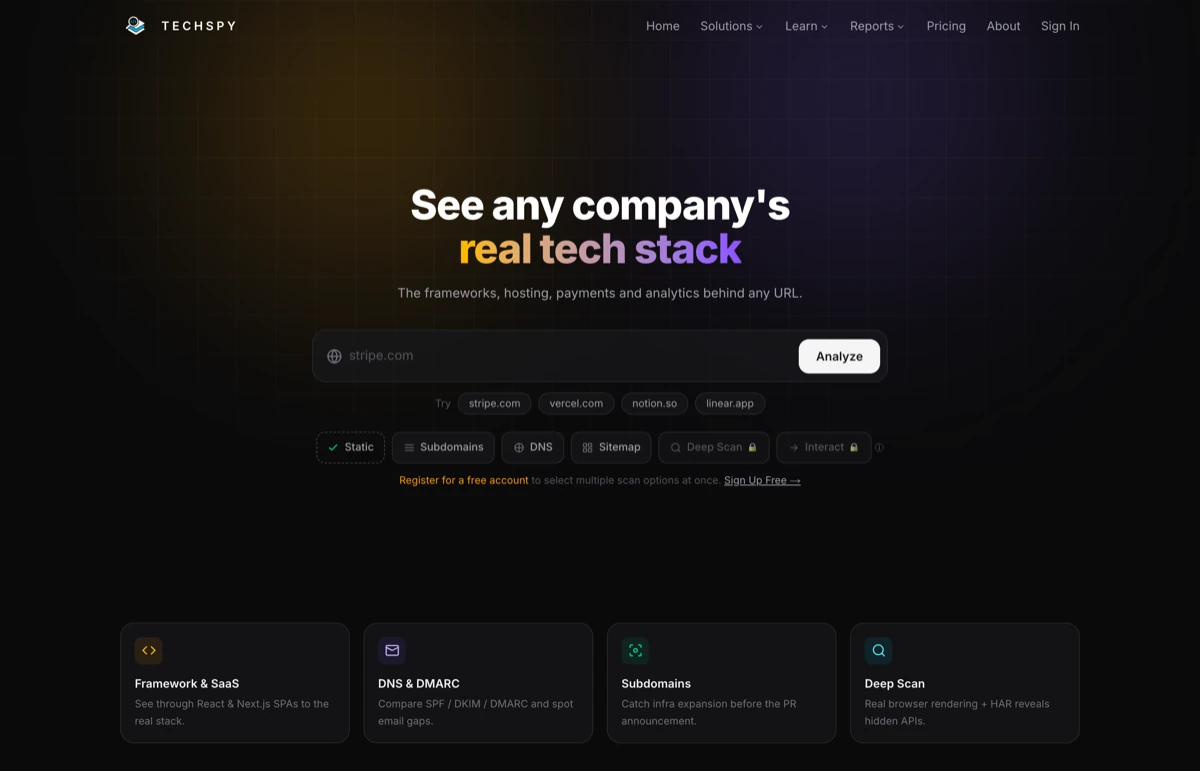
Modern sites hide their stack, and the tools that read them are behind
Knowing what a competitor runs on is basic marketing homework. It tells you what their team can ship, how fast, and where their funnel breaks. The problem is that the answer stopped being visible in the page source.
A React or Webpack build serves you a bundle. The interesting services load later, or only after someone clicks something, or only when a form fires the API behind it. Read the markup and you get the CDN and little else.
The established tools have the same blind spot, and their data lags. Then the rest of the picture lives somewhere else again: DNS records in one tool, subdomains in another, sitemap and SEO posture in a third. Profiling one company took four tabs and a lot of trust in stale fingerprints.
A React or Webpack build serves you a bundle. The CDN is in there and little else worth knowing.
no real signalWappalyzer and BuiltWith recognize what they catalogued, from a database written before this deploy shipped.
stale by a quarterDNS in one tool, subdomains in a second, sitemap and SEO posture in a third, and none of them share a company record.
4 tabs per companyThe team gets a partial tool list that never says how the company sells, ships or grows.
unverifiableWappalyzer, BuiltWith, and reading it by hand
Three ways to answer this already existed. I used all of them before building anything.
An instant tool list off a fingerprint database, free at the entry tier and already in most marketers' bookmarks.
A fingerprint database recognizes what it catalogued last quarter. On React and Next.js builds the interesting services load after the markup, so both come back thin or empty, and the answer stops at the tool list.
RejectedCertainty about exactly what a page shipped, with no vendor between you and the evidence.
The services worth knowing about fire after a click or behind a form submission. It also does not survive contact with a second company, let alone a category.
RejectedA stack already sitting on the account record, at no extra effort for the rep.
Self-reported and undated. A job post asking for Marketo experience is a wish from seven months ago.
RejectedAll three describe what a company said or once shipped. The scan had to describe what the site is doing right now, and say so with a timestamp.
I walked into the ThinkingAI interview with their own diagnosis
Before interviewing at ThinkingAI I scanned them with it. The report surfaced how their site was operated, what their DNS and subdomains looked like, and where the gaps in that setup were.
I brought a table of findings with a proposed fix beside each one. The hiring manager had not asked for it yet, and it changed the shape of the conversation: we spent the interview on their actual problems rather than on my history. I got the offer.
It does the same job in competitive work. Paired with AdRadar on the campaign side, the two answer different halves of the same question: AdRadar shows what a rival is saying in market, TechSpy shows what they are able to build. AdFlow takes that read into the campaign itself, through the Meta API and behind guardrails.
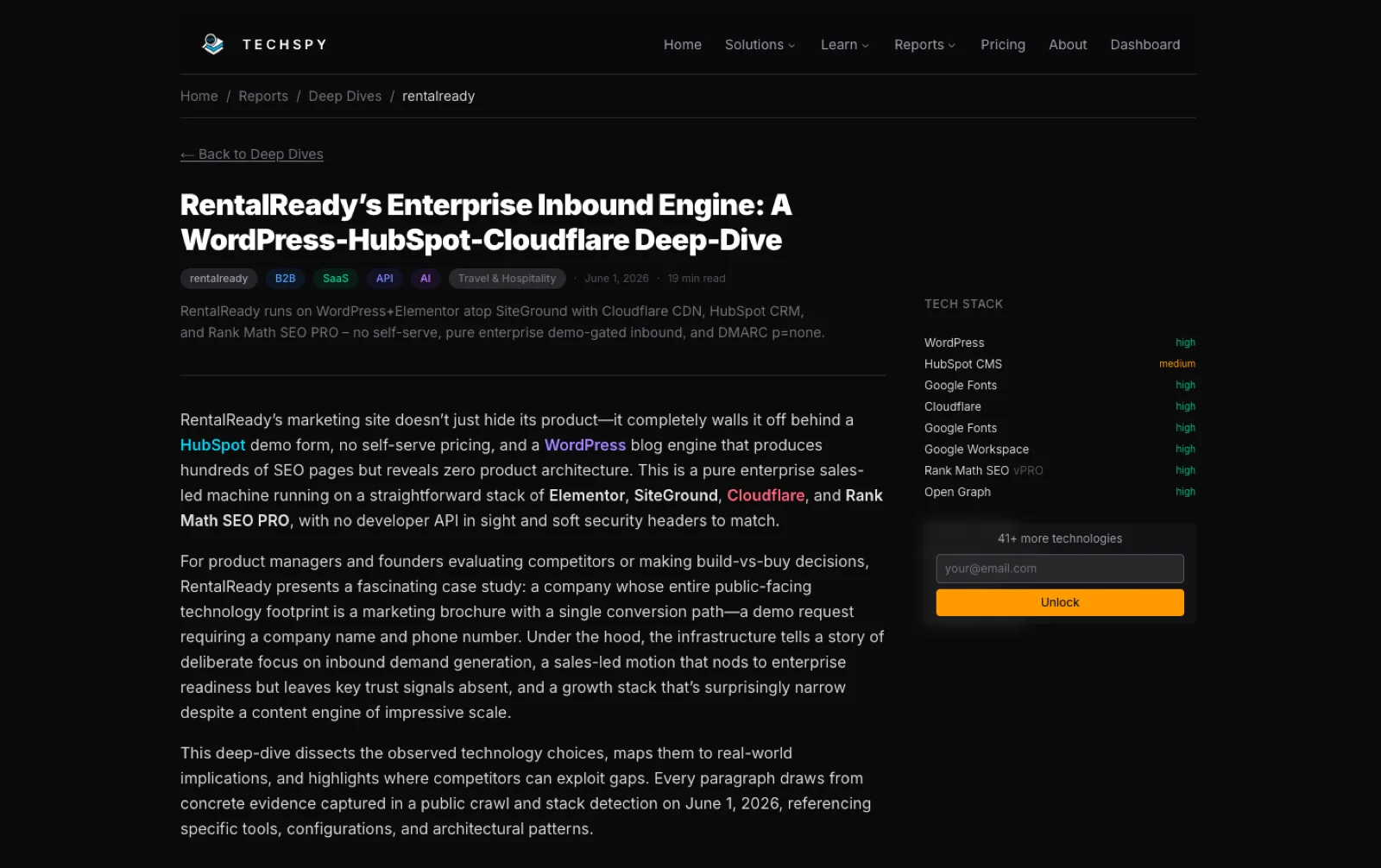
68 technologies detected. Jamstack on Netlify, a multi-CDN delivery layer, and every pricing path routed to a Contact Sales form with no self-serve trial anywhere.
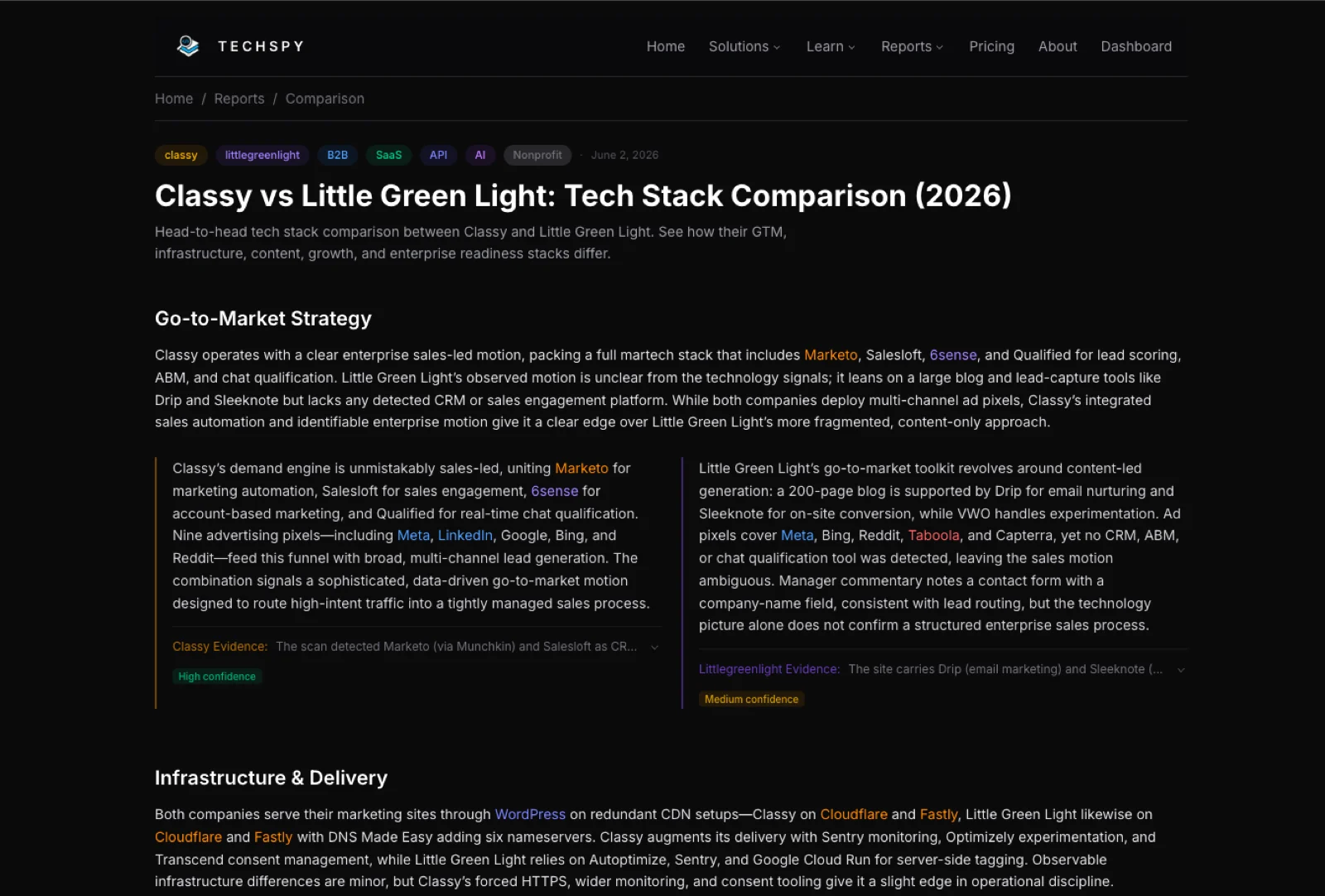
Read the report → Comparison Figma vs MiroMiro runs Marketo, 6sense and fourteen ad pixels. Figma runs one. Figma publishes 193 pages under /blog; Miro's sitemap came back empty.
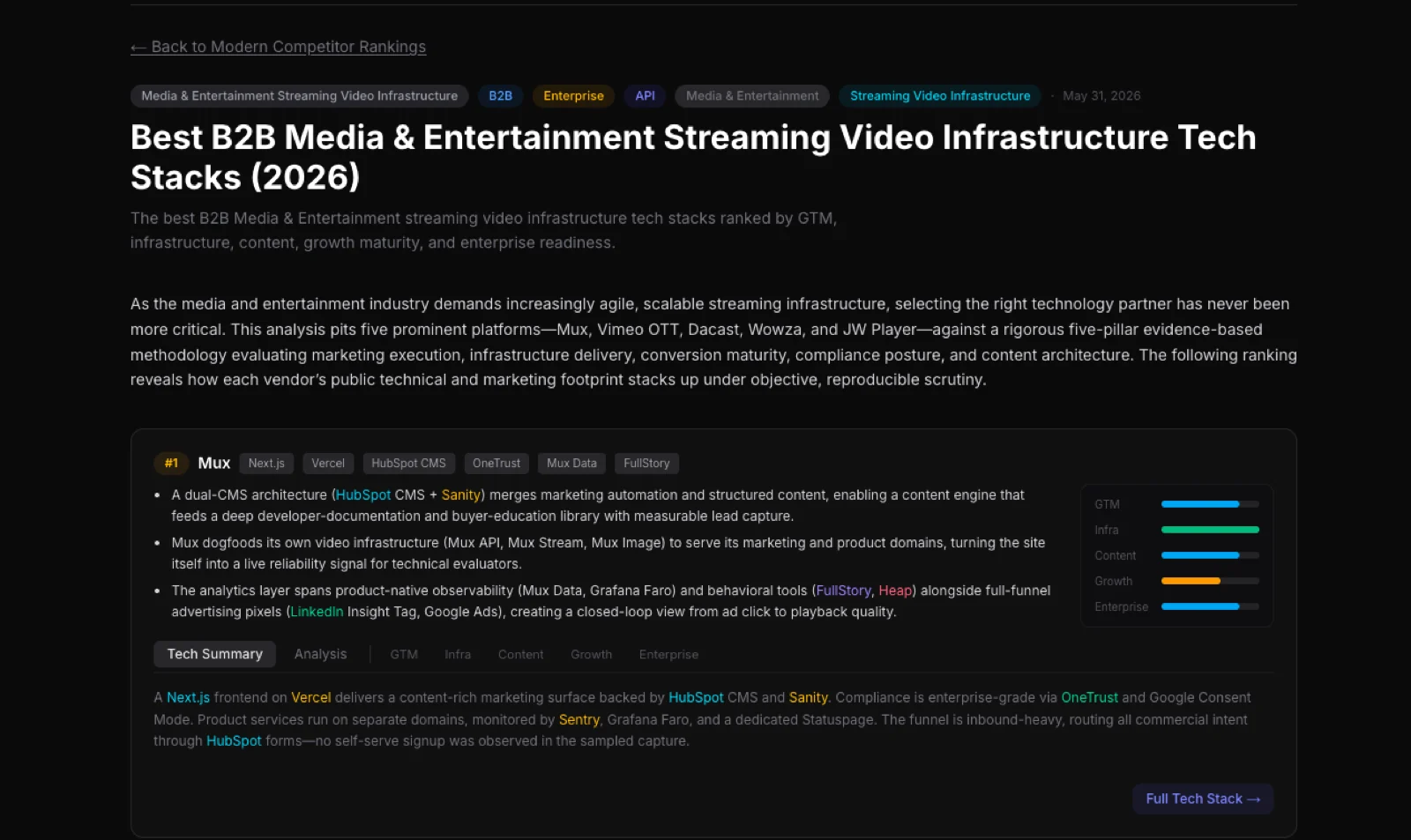
Read the report → Category ranking B2B HR and recruitingAshby, iCIMS, Greenhouse, Workable and Lever on the same five pillars. Ashby takes the top slot. iCIMS and Greenhouse both ship without a visible trust center.
Read the report →Stop reading the page. Watch what the page does.
A fingerprint database only knows what it has already seen. The network a site generates while a real person uses it gives up everything, because every service it depends on has to be called eventually.
So the scan drives a real browser through browserless and records the traffic. A model reads the sitemap first and picks the paths worth walking: the primary calls to action, the pricing flow, the demo request. It fills forms to make the submission APIs fire, and the whole session is captured as a HAR file.
Then several models work over the raw capture, clean the noise out of the requests, and resolve what each endpoint belongs to. The output is current by construction, because it describes what the site did minutes ago.
Three depths, because most of the stack never appears in page source. A scan costs time, and the tools worth finding are the ones that cost the most to reach. So depth is chosen per scan, and the report says which depth produced each finding.
What the site shows the world: DNS and DMARC, subdomains, sitemap, and the front-end, analytics and infrastructure stack. Runs on every scan, including the free tier.
A real browser loads the page and the HAR capture keeps every request it makes. That is where hidden APIs and background third-party calls show up, none of which are in the markup.
It browses like a person to catch what loads only after a click: chat widgets, checkout scripts, post-click tooling. Adds two to four minutes, and earns it on SPA-heavy sites.
Public signals only: no logins, no privileged access, nothing behind a paywall. When Cloudflare blocks the scan or a sitemap is missing, the report flags it and drops confidence to low or medium. Missing data stays missing, so a reader always knows which part was measured.
One scan, five dimensions, evidence attached
A stack list is trivia until you turn it into a read on the company. The CMS, the CRM, the marketing automation and the ad pixels together describe how a business goes to market, so the report scores that directly.
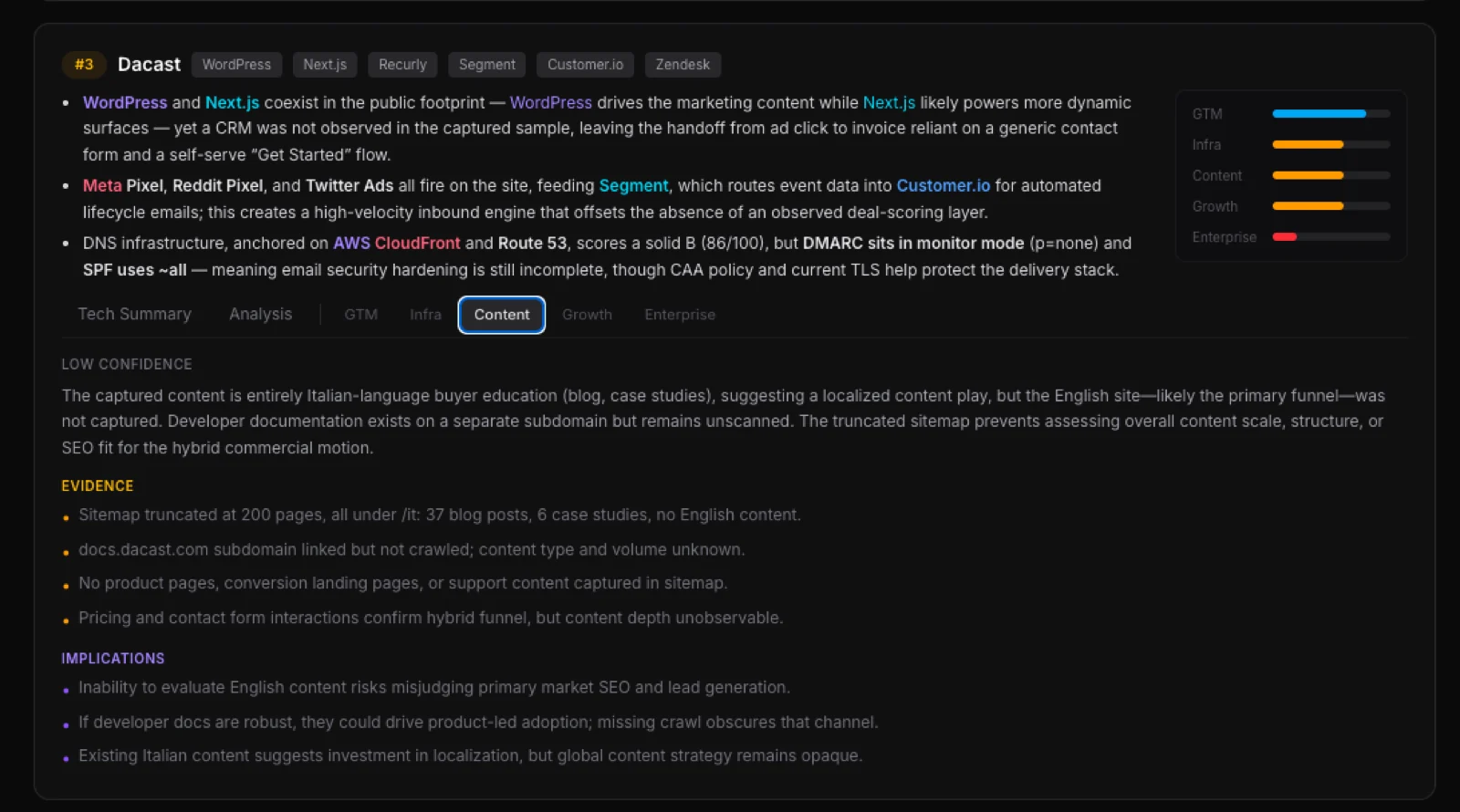
Every claim carries the evidence it came from and a confidence label. Where the crawl was thin, the report says so and states what that leaves unknown.
The CRM, the engagement tools and the live pixels say sales-led or content-led.
It reads hosting, CDN, DNS and email records, down to the ones most teams leave half-configured.
Sitemap scale and shape: what they publish, in which languages, and which subdomains hold the real library.
Experimentation, analytics and lifecycle tooling. It shows whether anyone measures the funnel.
Consent management, monitoring, status pages and the trust signals a large buyer looks for.
Three reads you can re-run yourself. A
js.stripe.com call in the page means subscription billing, so they monetize
recurring. A sitemap holding 40 blog posts and zero comparison pages means a content-first
motion that is thin at the bottom of the funnel. Three frontends on
three subdomains means marketing, app and docs sit with different teams.
Four verdicts, and the useful one is "skip"
A rep has more accounts than sequence slots. Qualifying one by hand is a tab-hop through LinkedIn, the homepage and a job post. It takes long enough that most reps skip the research and send "just checking in".
So the scan returns a call. There is no 0 to 100 fit score anywhere in the product, because a score pads itself to look useful on every account. The four verdicts are qualify (the stack earns the slot), route (send it to the rep who owns this play), personalize (here is the opener their stack has already given you) and skip. Skip is the one that saves the day: a tool willing to say an account is not worth a touch is a tool you can leave running. I run the verdicts on my own account research. No sales team has run the routing plays below; they are design.
Two systems of record in one stack. Lead with sync and routing pain, because somebody there is already living it.
A subscription commerce motion. Open on retention, lifetime value and churn.
A real data team owns the funnel. Route it to the RevOps or analytics seller.
Identity is a budget line. Hand it to whoever sells security and compliance.
A self-serve developer buyer. Lead with the devtools angle and let them try it.
Nothing to personalize against. Skip it and spend the slot on an account that gave you something to work with.
It beats the enrichment field a team already pays for on freshness. Whatever serves traffic when the scan runs is a fact, and the scan timestamps it.
An intelligence tool is worth nothing sitting in its own tab
Those paths are built; no outside team has wired one up yet.
Scans run from whatever holds the account list, so it enriches records where they live.
A new target in the CRM can trigger a scan and write the profile back without anyone opening the product.
An agent calls the same endpoint mid-task, so the scan lands inside research that was never about tech stacks.
The Zapier app
ships five triggers and nine actions. Watch a domain, and a Zap fires the day its tech,
subdomains or email records change. The REST API
is one endpoint, POST /api/analyze, with the scan stages as toggles and a
bearer key rate-limited per tier. It writes into HubSpot, Salesforce, Pipedrive, Clay, Notion, Airtable, Sheets and Slack, so the brief can land on the account record before the call.
The same pipeline writes the public library
The scan writes three kinds of report: one company end to end, two companies head to head, and a whole category ranked on the same five pillars. All of them are public.
Every claim carries the evidence behind it and a confidence rating. Where the scan could not tell, the report says so and lists what it did find. Most competitive content skips that part.
A real browser, two model tiers, and a rule that says when it does not know
Browserless makes the product work, and it costs money on every scan. That is why depth is tiered and why the free tier stops at the surface layer.
Application
 Next.jsApp Router, server components, and the report pages themselves.
 React 19The scan UI and report reader.
 TypeScriptEnd to end, including the scan-stage contracts.
 TailwindThe design layer.
Scanning
 PlaywrightDrives the session. Deep Scan and Interact both run through it.
 BrowserlessHosted Chrome, so a scan can render a heavy SPA without a local browser.
CheerioStatic parsing pass for the surface layer.
BrowserlessHosted Chrome, so a scan can render a heavy SPA without a local browser.
CheerioStatic parsing pass for the surface layer.
Models
 DeepSeek, cheap tierClassifies every captured request against a service taxonomy.
DeepSeek, reasoning tierWrites the five-pillar strategy read and assigns confidence.
DeepSeek, cheap tierClassifies every captured request against a service taxonomy.
DeepSeek, reasoning tierWrites the five-pillar strategy read and assigns confidence.
 Gemini 2.5 ProSecond opinion on the pillar scoring, used where the two disagree.
Data and delivery
 SupabaseAccounts, saved scans, and the report history.
 ResendScan-complete and monitoring alerts.
 StripePlan tiers, including the API and Zapier entitlements.
 RemotionRenders the report walkthroughs as video.
 VercelHosting and the serverless scan endpoints.
Want this kind of tooling on your team?
Live traffic in, a scored read of a competitor out.